The Problem

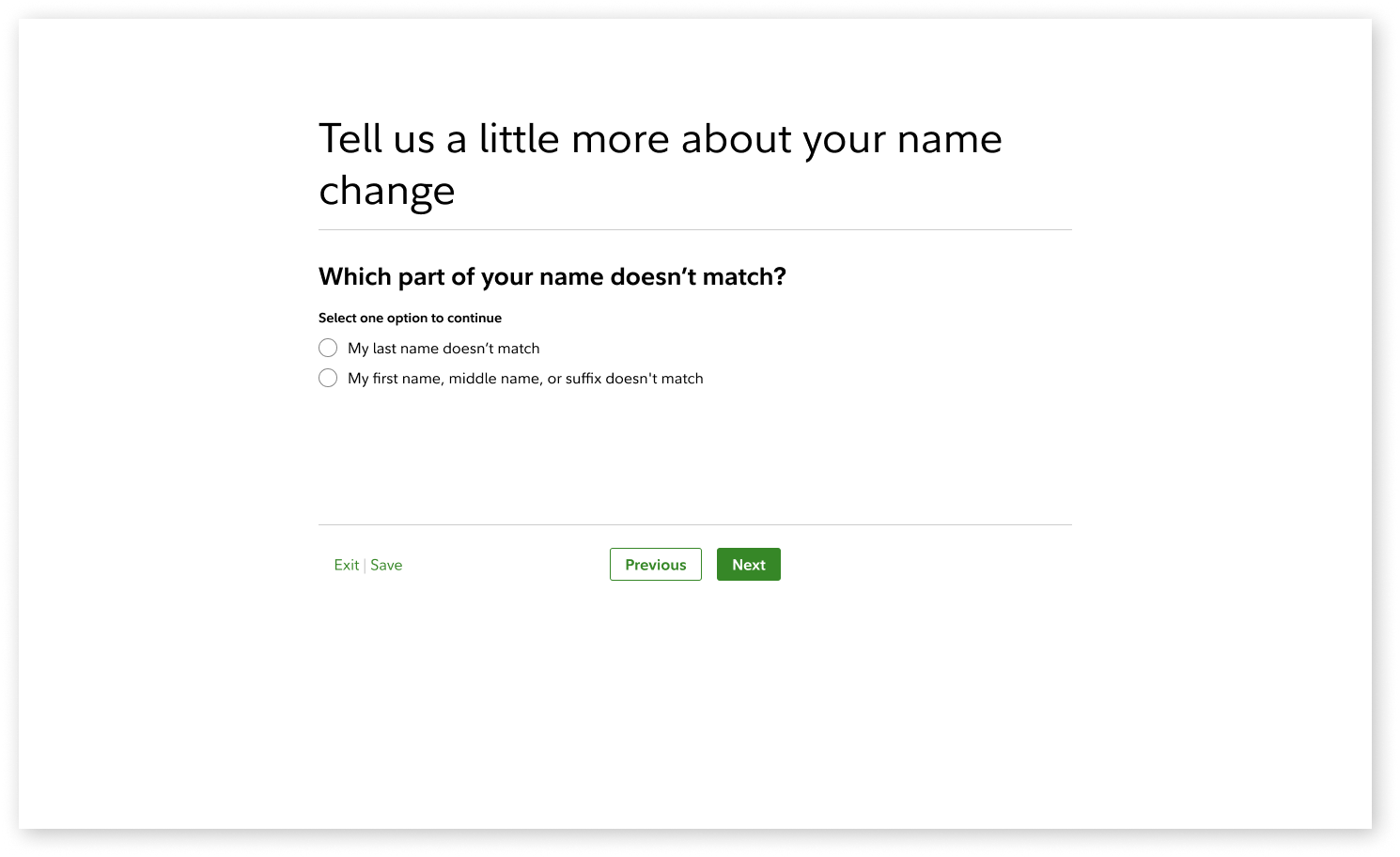
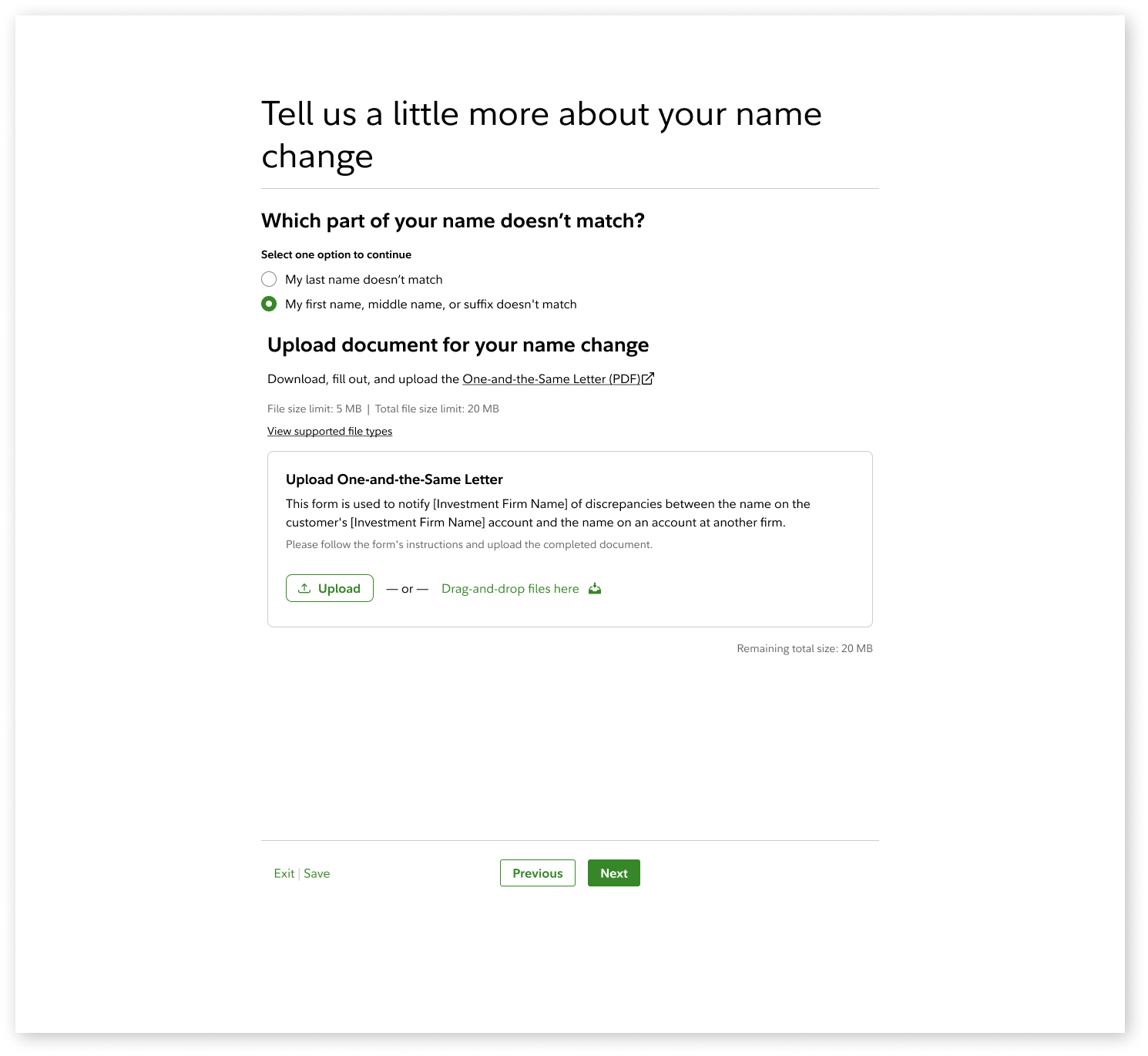
The Enterprise Document Upload (EDU) component was mandated enterprise-wide, but it didn’t fully align with our product’s workflow needs.

The existing implementation introduced gaps in how documents were managed--particularly around file persistence, visibility, and continuity across user actions. This created friction within key workflows, where users needed a more cohesive way to upload, review, and manage documents.

I collaborated with engineers and the component team to identify these gaps and iterated toward a unified document management modal that better supported how users move through the experience.

The solution was validated as an innovative adaptation and documented for future rollout.

My Contributions

  • Partnered with engineers and the component team to identify workflow gaps and technical constraints in the Enterprise Document Upload component
  • Designed and iterated on solutions that improved document visibility, persistence, and interaction flow
  • Aligned the solution with real user workflows rather than isolated component behavior
  • Facilitated stakeholder reviews to refine and validate the approach
  • Delivered a unified document management modal and documented it for future rollout
  • Shared findings and patterns back with the enterprise design system team
  • Progression

    Initial Design
    No items found.

    Attempted to implement the base Enterprise Document Upload component as provided.

    While users could upload files, the system did not persist or surface previously uploaded documents across steps. As users progressed through the flow, there was no visibility into what had already been uploaded.

    Key issue: Analytics from the current experience showed that users frequently return to the upload step to review or re-upload documents. Without visibility into previously uploaded files, this gap could lead users to assume their documents were lost and re-upload unnecessarily.

    First Iteration
    No items found.

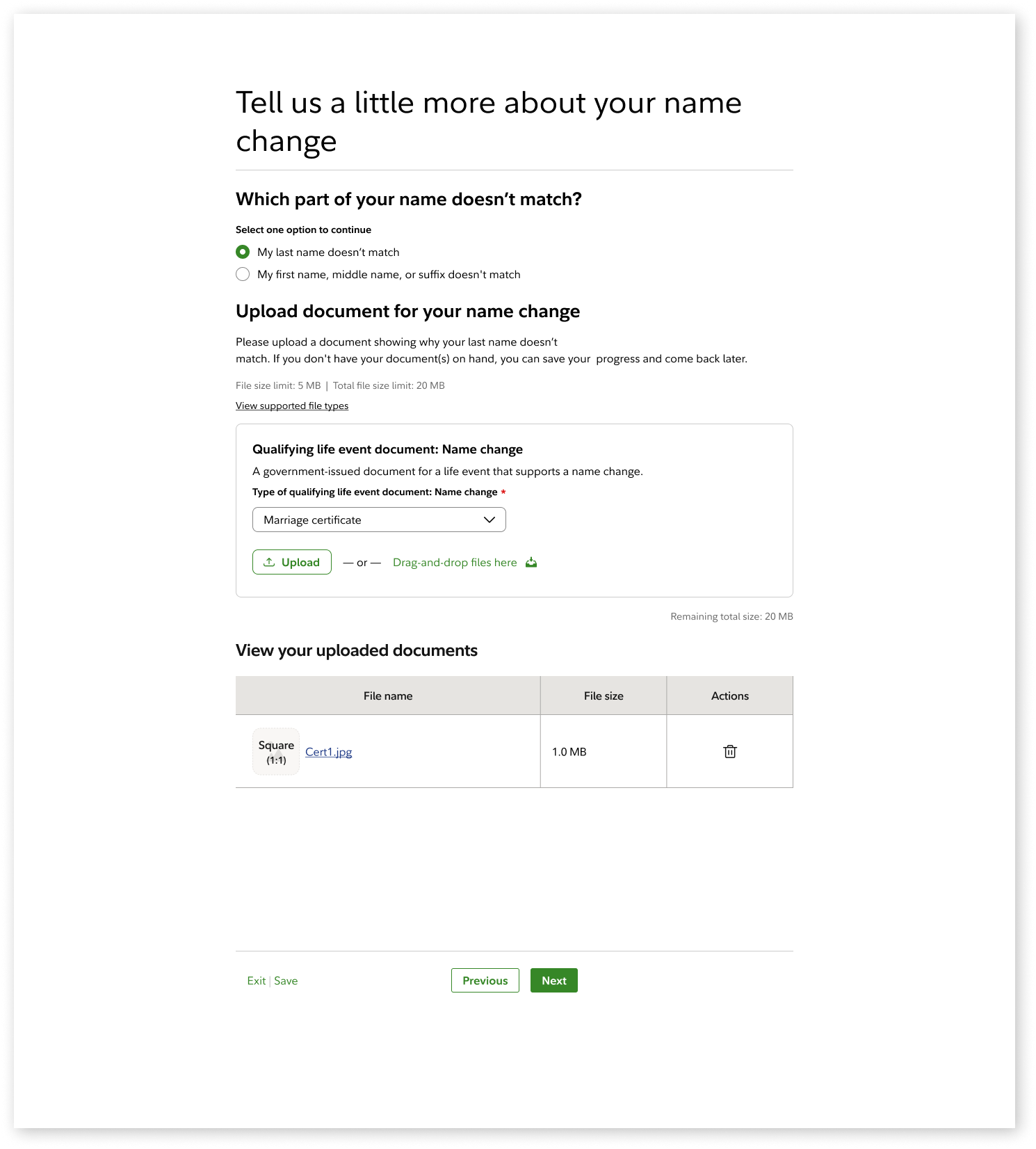
    Introduced a secondary table below the component to surface previously uploaded documents and restore visibility within the flow.

    The table was conditionally displayed only when users navigated forward and returned, avoiding conflicts with the component’s built-in “uploaded” state.

    Issue: Managing this behavior through the API proved complex, and the delay in surfacing uploaded files risked creating confusion and breaking continuity in the user experience.
    Second Iteration
    No items found.

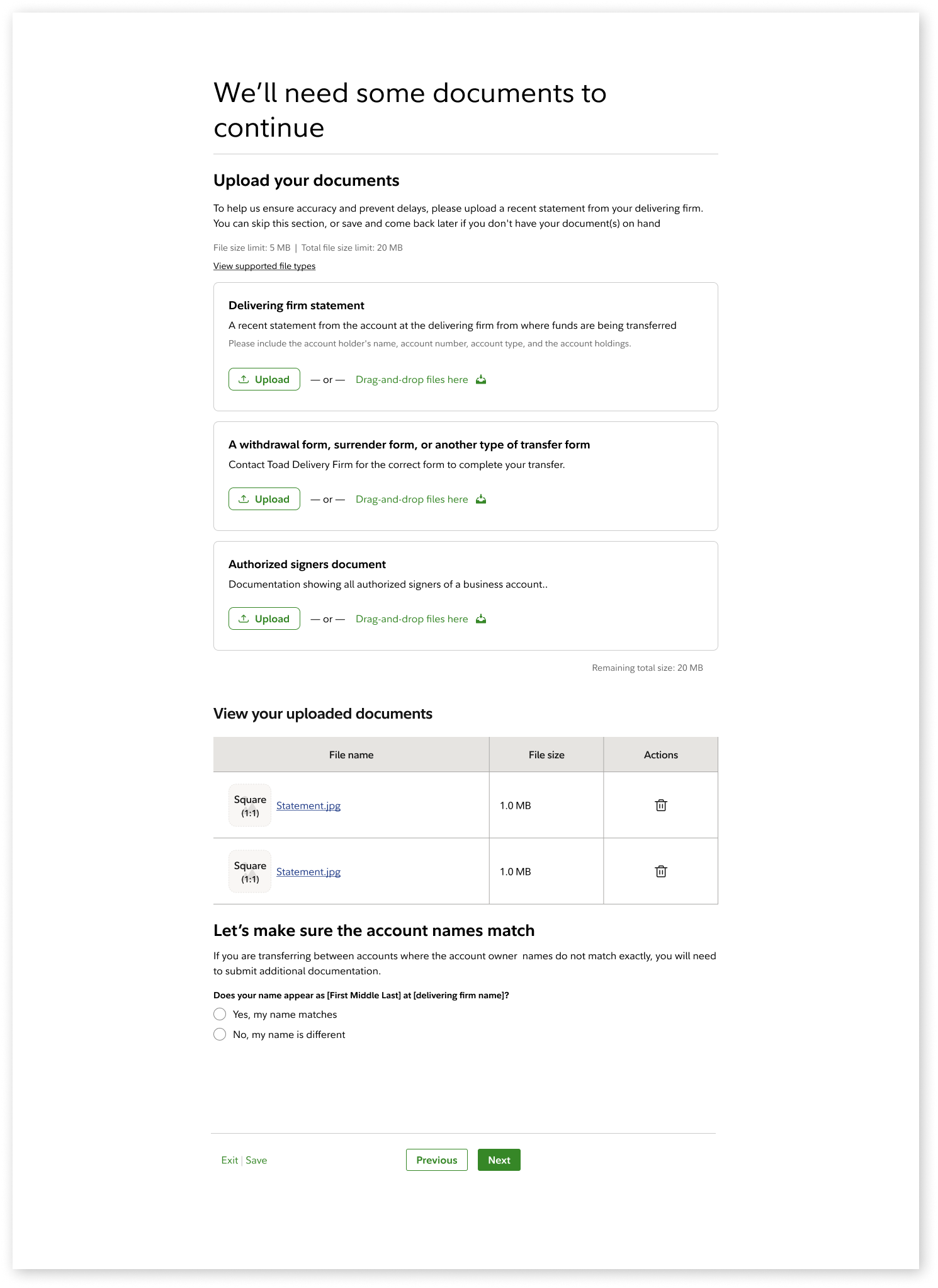
    The UI remained unchanged, but the behavior was updated so the table refreshed immediately after each upload—improving continuity and reducing latency in the experience.

    Issue: In scenarios where multiple upload components were stacked (≈10% of flows), the EDU component’s size pushed the table out of view. Even when repositioned, the solution struggled to maintain consistent visibility—highlighting a limitation of layering this approach within the existing layout.
    Third Iteration
    No items found.

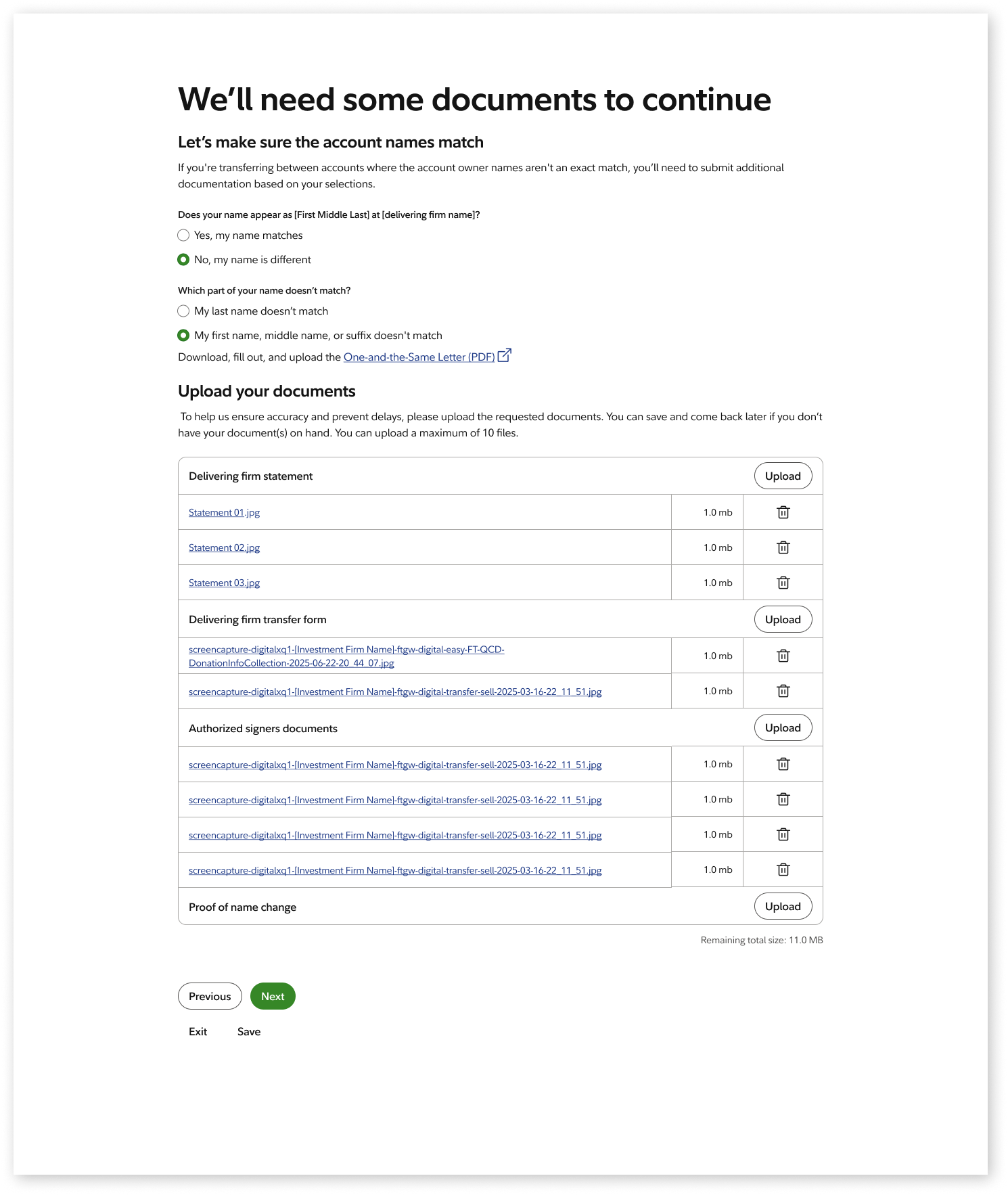
    Replaced the inline table with a modal, ensuring consistent visibility regardless of page layout or component stacking.

    This centralized document management into a single surface, allowing users to view all uploaded files in one place rather than across multiple steps in the flow.

    Benefit: Simplified the workflow, eliminated layout conflicts, and created a more reliable and scalable solution for managing documents.

    Conclusion

    The unified document management modal was validated with engineers and stakeholders and recognized as an innovative adaptation of the Enterprise Document Upload component.

    While not yet deployed, the solution is expected to reduce redundant uploads and improve visibility across the workflow.

    This work ultimately highlighted the need to balance enterprise system intent with real user workflows, ensuring components evolve to support real usage, not just prescribed patterns.