Progression
.png)
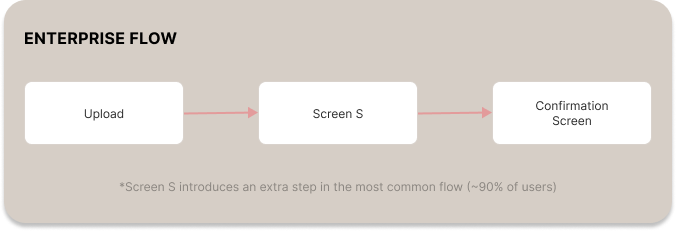
In the enterprise version of the upload experience, users were required to pass through an additional screen after submitting a document. This screen aimed to summarize uploaded content, but was applied universally across both single- and multi-file workflows.
For single-document uploads, this step provided little value while interrupting task completion. Instead of reinforcing user confidence, it introduced friction in what should be a straightforward flow.
Given existing drop-off trends in similar interactions, this design decision likely increased abandonment risk rather than improving clarity.

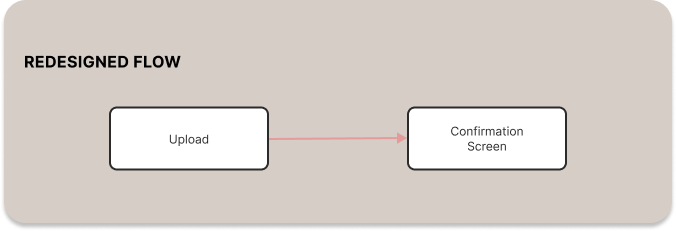
The enterprise upload experience introduced an additional screen after file submission, intended to summarize uploaded content. While useful in multi-file scenarios, this step created unnecessary friction in single-document workflows.
For users uploading a single file, the extra step interrupted momentum and added cognitive load without delivering meaningful value. Given existing drop-off trends in similar flows, this introduced a measurable risk to completion rates.
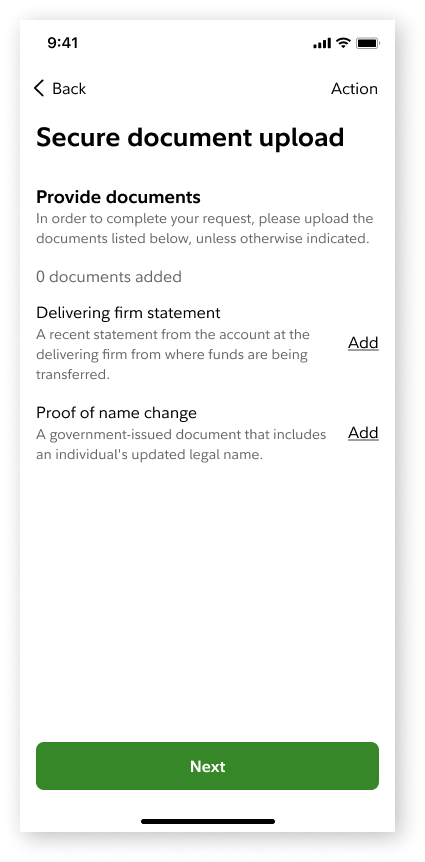

The component team maintained that Screen S was necessary for tracking multiple files in progress, particularly in more complex enterprise workflows. This highlighted a valid system requirement: giving users visibility and control when managing multiple documents.
However, applying this pattern universally introduced friction in simpler scenarios. Rather than removing the step entirely, alternative approaches were explored—such as reframing Screen S into a true summary view that supports multi-document uploads without interrupting single-file flows.
While this solution has not yet been implemented, it remains a key area for future iteration and validation.